Cinema 4D vs Blender : the complete comparison to choose the right 3D software in 2026

Introduction
Choosing between Cinema 4D and Blender has become a key decision for 3D artists, motion designers, freelancers, and studios.
The right software affects much more than interface preference. It influences your workflow, your production speed, your rendering efficiency, and your long-term budget.
On one side, Cinema 4D remains a benchmark for professional motion design thanks to its intuitive interface, stable production environment, and industry-leading MoGraph tools. On the other, Blender has become one of the most compelling all-in-one 3D suites on the market, combining a zero-cost entry point with a fast-evolving feature set.
In 2026, however, the choice is no longer just about features. Render speed, GPU and CPU support, plugin compatibility, and the ability to scale projects through a cloud render farm can have a direct impact on delivery times and production costs.
Because Ranch Computing supports both Blender and Cinema 4D workflows, this comparison takes a practical, rendering-focused approach rather than repeating generic feature lists. Ranch explains that render farms distribute jobs across multiple nodes to reduce render times significantly.
In this guide, you will find a quick comparison table, a detailed breakdown by category, a rendering-focused section, and practical recommendations based on real user profiles.
Cinema 4D vs Blender : quick comparison table
| Criteria | Cinema 4D | Blender | Verdict |
| Price | Paid subscription | Free and open-source | Blender |
| Learning curve | Structured and motion-design-friendly | More procedural and highly flexible | Depends on background |
| Motion graphics | Industry-leading with MoGraph | Improving with Geometry Nodes | Cinema 4D |
| Modeling | Strong procedural and parametric workflows | Excellent polygonal and sculpting tools | Depends on use case |
| Sculpting | More limited | More advanced and frequently updated | Blender |
| Animation and rigging | Solid and accessible | More flexible and advanced | Blender |
| Rendering | Strong with premium render engines | Strong native and third-party renderer ecosystem | Depends on workflow |
| Plugin ecosystem | Strong premium ecosystem | Large addon ecosystem | Depends on needs |
| Community | Professional and specialized | Massive and highly active | Blender |
| Cloud rendering | Fully compatible | Fully compatible | Tie |
Blender clearly wins on software cost. Cinema 4D still holds a strong advantage in motion graphics workflows.
For rendering-heavy projects, both become much stronger when paired with a cloud solution such as a render farm. Ranch supports both Blender and Cinema 4D environments, as well as a broad set of production renderers.
What is Cinema 4D ?
Cinema 4D is a professional 3D software package developed by Maxon. It is widely known for its stability, motion graphics strengths, and studio-friendly workflow.
Its reputation comes largely from how approachable and production-ready it feels compared with many other 3D applications. The interface is structured clearly, scene organization is easy to understand, and the software is designed to help artists become productive quickly.
Cinema 4D is especially popular in advertising, broadcast design, product animation, and studio-based motion graphics work. Maxon presents Cinema 4D as a professional solution for modeling, animation, simulation, and rendering. Maxon’s release notes also show that the current release line includes Cinema 4D 2026.1.4, published on March 17, 2026.
From a production point of view, Cinema 4D becomes even more relevant when integrated into a scalable rendering workflow. That is why the natural internal next step for many readers is the Cinema 4D render farm page rather than Cinema 4D in isolation.
What is Blender ?
Blender is a free and open-source 3D creation suite covering modeling, sculpting, animation, simulation, rendering, compositing, and more.
What once looked like a low-cost alternative has become a serious production platform. Blender’s biggest strength is breadth: it gives users access to an entire 3D pipeline without license costs.
This makes it especially attractive for students, freelancers, startups, and generalist artists who want flexibility without subscription pressure. Ranch’s Blender positioning reflects that broad scope, from modeling and texturing to VFX and compositing.
Geometry Nodes, node-based workflows, and modifiers
One of Blender’s biggest strengths in recent versions is not just its feature list, but the way its workflows have evolved.
Blender has become much stronger thanks to three major elements:
- the rise of Geometry Nodes
- the maturity of its broader node-based workflow
- the continued importance of its modifier stack
According to Blender’s documentation, the Geometry Nodes modifier creates a modifier driven by a node group, while the Geometry Node editor is used to build those node groups and define geometry operations procedurally. Blender’s modifier system also remains central, with modifiers defined as non-destructive operations that affect an object’s geometry.
This matters because Blender is no longer only a traditional modeling and animation package. It is increasingly a procedural environment where objects, distributions, patterns, and effects can be built in a more scalable and non-destructive way. Blender’s manuals also show that Geometry Nodes can be used not only through modifiers, but also as node-based tools integrated into production workflows.
For many users, this combination of modifiers, Geometry Nodes, and procedural node-based logic is one of the strongest arguments in Blender’s favor today.
Blender also continues to evolve quickly. Its current stable release is Blender 5.1, released in March 2026, while Blender 4.5 LTS remains available for teams that prioritize long-term production stability. That LTS version is officially supported until July 2027.
For rendering-heavy work, Blender can also scale through the Blender render farm workflow, which is important because low software cost does not automatically solve render-time bottlenecks.
Blender is no longer just the free alternative. With its combination of modeling, animation, modifiers, and Geometry Nodes, it has become a highly flexible procedural 3D environment that can serve both independent artists and advanced production workflows.
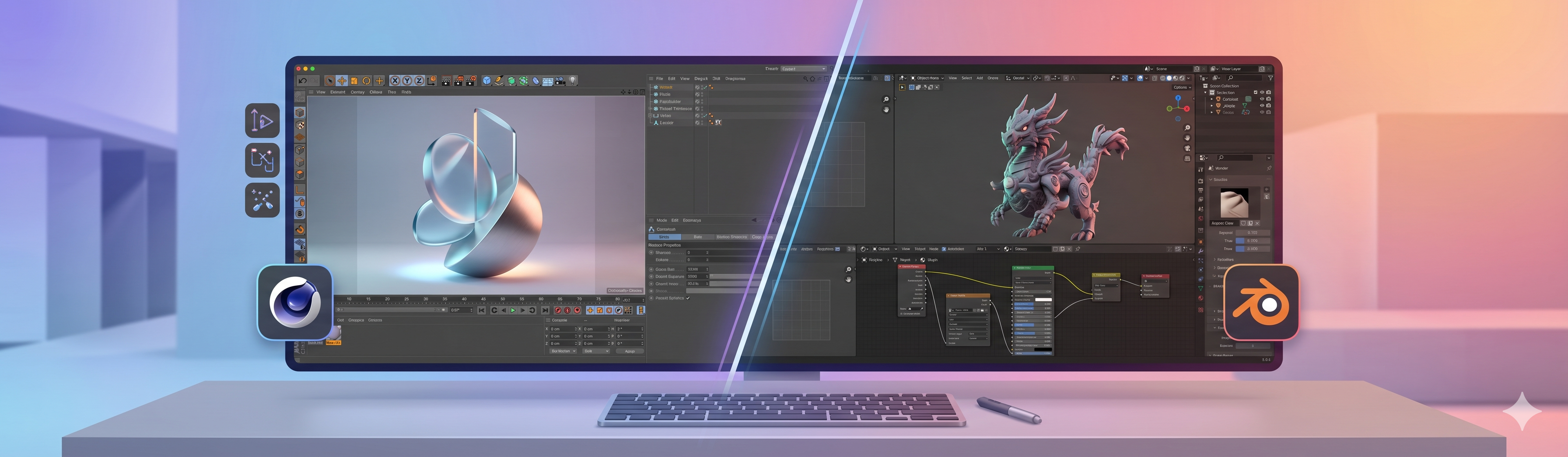
Detailed comparison : Cinema 4D vs Blender
User interface and learning curve
The learning curve between Cinema 4D and Blender is no longer as one-sided as many older comparisons suggest.
Cinema 4D is often seen as approachable because of its clean interface, clear hierarchy, and motion-design-oriented workflow. Maxon presents it as a fast, efficient, and accessible professional 3D solution, which helps explain why many artists still find it comfortable to adopt in production environments.
Blender, however, has evolved significantly. Its interface is much more mature than it used to be, and many artists no longer see it as dramatically harder to learn than Cinema 4D.
In practice, the experience depends heavily on:
- your background
- your habits
- the kind of work you want to do
Users who are comfortable with node-based workflows, modifiers, and procedural logic may even find Blender more natural over time. Blender’s manuals make it clear how central Geometry Nodes, modifier-driven workflows, and node groups have become in the software.
So rather than saying that Cinema 4D is simply easier, it is more accurate to say that the two tools are easier in different ways.
Cinema 4D may feel more immediately structured for some motion designers. Blender may feel more flexible and coherent once its workflow structure clicks.
Verdict: neither software has a universally easier learning curve. Cinema 4D may feel more intuitive for some artists at first, while Blender can feel just as accessible once its workflow logic becomes familiar.
Modeling
Modeling is a more balanced category than many simplified comparisons suggest.
Blender is excellent for polygonal modeling and particularly strong in sculpting-heavy or organic workflows. It appeals to artists who want direct control and a wide toolset that evolves quickly.
Blender’s procedural appeal has also grown because of its Geometry Nodes workflows and non-destructive modifier logic. This makes it increasingly attractive not only for sculpting and traditional modeling, but also for:
- procedural scene building
- repeatable systems
- motion-oriented design operations
Cinema 4D often feels stronger in procedural, parametric, and design-oriented scene building. Artists working in product visualization, motion design objects, or structured procedural setups often appreciate this side of its workflow.
Verdict: Blender has the edge for sculpting and organic forms. Cinema 4D often feels more comfortable for procedural and design-led modeling.
Motion graphics
Cinema 4D is still the stronger choice for motion graphics.
This remains one of the clearest answers in the entire comparison. Cinema 4D built much of its reputation on MoGraph, and that advantage still matters in 2026.
Cloners, effectors, fields, and procedural animation tools make it especially efficient for title design, abstract motion, product motion, and commercial visuals. Blender’s Geometry Nodes are improving fast, but for many day-to-day motion design teams, Blender still does not feel as purpose-built as Cinema 4D in this category.
Verdict: if your work centers on professional motion design, Cinema 4D remains the more established and efficient option.
Animation and rigging
Animation is one of the areas where Blender becomes much more competitive.
Blender offers a powerful environment for rigging, character workflows, and flexible animation setups. It appeals strongly to artists working in indie animation, experimental workflows, or broader production pipelines.
Cinema 4D is also solid here. It is dependable, easier to approach, and often enough for general animation work. But as projects become more character-heavy and rig-intensive, Blender tends to offer more room to grow.
Verdict: Blender has a slight edge for advanced rigging and character animation. Cinema 4D remains strong for guided, accessible animation workflows.
Texturing and materials
Texturing is less about which software is objectively better and more about which one fits your working style.
Blender’s node-based material workflow offers very deep control. Technical users often prefer that flexibility, especially in procedural shading setups.
Cinema 4D tends to feel more approachable in this area. Even when node systems are involved, the overall user experience is often easier to understand at the start.
In practice, many artists in both ecosystems still rely on external tools such as Substance 3D Painter, which narrows the gap somewhat.
Verdict: Cinema 4D is often easier to approach for look development. Blender offers deeper control for users who want to push node workflows further.
Render engines : the real battleground
If there is one section that truly matters in a Cinema 4D vs Blender comparison, it is rendering.
Features influence comfort and creativity. Rendering influences deadlines, hardware investment, production capacity, and profitability.
Blender render engines and supported renderer ecosystem
Blender’s rendering story is broader than just Cycles and Eevee.
Native renderers
At the native level, Blender includes Cycles and Eevee.
- Cycles is Blender’s physically based renderer
- Eevee is its real-time engine for speed, look development, and stylized workflows
Ranch also presents Cycles and Eevee as supported renderers on its farm.
Third-party renderer ecosystem
But Blender’s production rendering ecosystem goes beyond native engines.
In practice, Blender can also be part of workflows involving:
- RenderMan
- Redshift
- Octane Render
- V-Ray
depending on the renderer integration and the production setup.
Ranch’s supported renderers page explicitly lists Redshift, Cycles & Eevee, V-Ray, Arnold, Renderman, Octane Render, and Corona among the engines available on its farm.
Why it changes the comparison
That changes the comparison significantly.
Blender should not be framed as limited to free native rendering only. It can function both as:
- a self-contained rendering environment
- a host for broader production workflows tied to commercial engines
This is especially relevant in cloud rendering contexts. Ranch’s farm-selection documentation explicitly distinguishes CPU farms and GPU farms, and cites GPU-oriented engines such as Redshift, Octane, V-Ray GPU, Arnold GPU, Cycles GPU, and Eevee.
Practical takeaway: Blender has strong native renderers, but its rendering ecosystem is much broader than Cycles and Eevee alone.
Cinema 4D render engines : Redshift, Octane, Arnold, and more
Cinema 4D follows a different logic. The software itself is often selected for workflow and motion graphics strength, but the actual rendering experience depends heavily on the renderer you use.
This is important because “Cinema 4D rendering” is not one single workflow. In practice, teams may use Redshift, Octane, Arnold, Corona, or other solutions depending on project needs and pipeline structure.
Maxon’s documentation makes a key point clear: Cinema 4D can involve both CPU and GPU rendering, but the renderer determines how that happens. Maxon’s system requirements also show that Redshift has significant GPU requirements, including 8 GB VRAM-class hardware in supported configurations.
Does Cinema 4D use GPU or CPU rendering ?
The accurate answer is: both, depending on the renderer.
That question appears often in search because users want a simple answer, but the truth is renderer-specific. Legacy or CPU-oriented rendering paths differ from Redshift-style GPU rendering, and production expectations should be based on the engine actually used in the project.
This matters because many artists assume “Cinema 4D” alone determines render performance, when in reality the renderer and hardware path are just as important.
Which is better for rendering ?
There is no universal winner.
If you want a built-in, no-extra-license rendering setup with a strong quality-to-cost ratio, Blender is extremely compelling. Cycles gives it a major advantage in value.
If your workflow already revolves around premium render engines and professional motion graphics pipelines, Cinema 4D may feel stronger. In that context, the renderer is not an add-on detail. It is part of a larger production ecosystem.
Practical takeaway: Blender often wins on rendering value. Cinema 4D can win on rendering workflow when paired with the right commercial renderer.
Why rendering becomes the real bottleneck
Rendering is often where software comparisons become real business decisions.
A scene may feel manageable during creation, but final rendering changes the equation. For example, if an animation contains 1,500 frames and each frame takes 2 minutes to render, that equals roughly 50 hours on a single machine.
That is why cloud rendering matters. Ranch defines a render farm as a specialized computing system or data center designed to render CGI and animations, and explains that jobs are distributed across multiple nodes instead of relying on a single workstation.
Local rendering vs render farm
A local workstation gives you direct control, but it also limits iteration.
When your main machine is locked by long renders, everything else slows down. A render farm changes that by offloading the heavy computation, freeing your workstation and compressing delivery timelines.
Ranch also provides onboarding and preparation tools. Its guidance refers to workflow support such as Ranch Checker and to a clear separation between CPU farms and GPU farms, which is highly relevant when comparing Cycles, Redshift, Octane, and other render engines.
Practical rendering conclusion
For rendering alone, Blender is very strong because Cycles and Eevee are built in.
Cinema 4D becomes especially attractive when your pipeline already depends on premium render engines or motion design production requirements.
But once rendering time becomes the real constraint, both software packages benefit from the same strategy: moving final output to a cloud solution built for scale.
If your projects are getting heavier, a Cinema 4D render farm or Blender render farm is not just a convenience. It is often what makes the workflow scalable.
Plugins and ecosystem
The plugin ecosystem is one of the clearest philosophical differences between Blender and Cinema 4D.
Blender’s ecosystem
Blender benefits from a huge open ecosystem shaped by community culture and open-source development.
That usually means a larger volume of addons, a lower average cost, and faster experimentation around niche workflows. For many users, this is one of Blender’s biggest advantages.
Cinema 4D’s ecosystem
Cinema 4D tends to have a more premium, studio-oriented plugin culture.
Its ecosystem is often associated with commercial tools used in production pipelines, especially in motion graphics and simulation-heavy work. That can be a major advantage for teams already operating inside Maxon-centric workflows.
Practical verdict
A plugin ecosystem only matters if the production workflow remains renderable and stable at scale.
That is why Ranch compatibility matters more than plugin volume alone. If you are working in Cinema 4D and need production reliability, the relevant next step is not just “which plugin exists?” but whether the project fits a Cinema 4D render farm workflow. Ranch’s software and renderer support reinforce that logic.
Verdict: Blender usually wins on addon accessibility and ecosystem breadth. Cinema 4D is often stronger for premium, studio-tested plugin workflows.
Price and total cost of ownership
Compared with Blender, Cinema 4D is expensive.
That is the short answer, and it matters because pricing is one of the most visible differences between the two tools.
Blender pricing
Blender is free and open-source.
Users may still spend money on addons, assets, training, or hardware, but the software itself has no license fee. That remains one of Blender’s biggest advantages.
Cinema 4D pricing
Cinema 4D belongs to Maxon’s paid ecosystem.
Depending on the plan, users may subscribe to Cinema 4D alone or to a broader bundle such as Maxon One. Maxon’s official support content confirms that subscriptions are the current commercial model.
The real cost question
The more useful comparison is not just “free vs paid,” but total cost of ownership.
Over three years, Blender is usually far cheaper on software cost alone. Cinema 4D can still make financial sense when its workflow speed, team adoption, or bundled ecosystem saves enough production time to justify the license.
Rendering should also be part of the cost discussion. A free software setup can still become expensive if local rendering blocks your machine for days. A paid setup can still be cost-effective if it reduces production friction.
Verdict: Blender is the clear winner on entry cost and long-term affordability. Cinema 4D can justify its price in the right professional context.
Community and learning resources
Blender has one of the largest and most active communities in the 3D world.
Its open-source model encourages tutorials, documentation, experimentation, and community help. That makes it especially attractive for self-taught artists and beginners.
Cinema 4D’s learning environment is different. It is strong, but more professionally concentrated. The ecosystem is often tied to official documentation, commercial tutorials, and professional motion design education.
This changes the onboarding experience. Blender often feels more community-driven and exploratory. Cinema 4D often feels more guided and professionally packaged.
Verdict: Blender usually offers more volume and accessibility in free learning resources. Cinema 4D often offers a smoother path for users seeking a structured learning environment.
System requirements
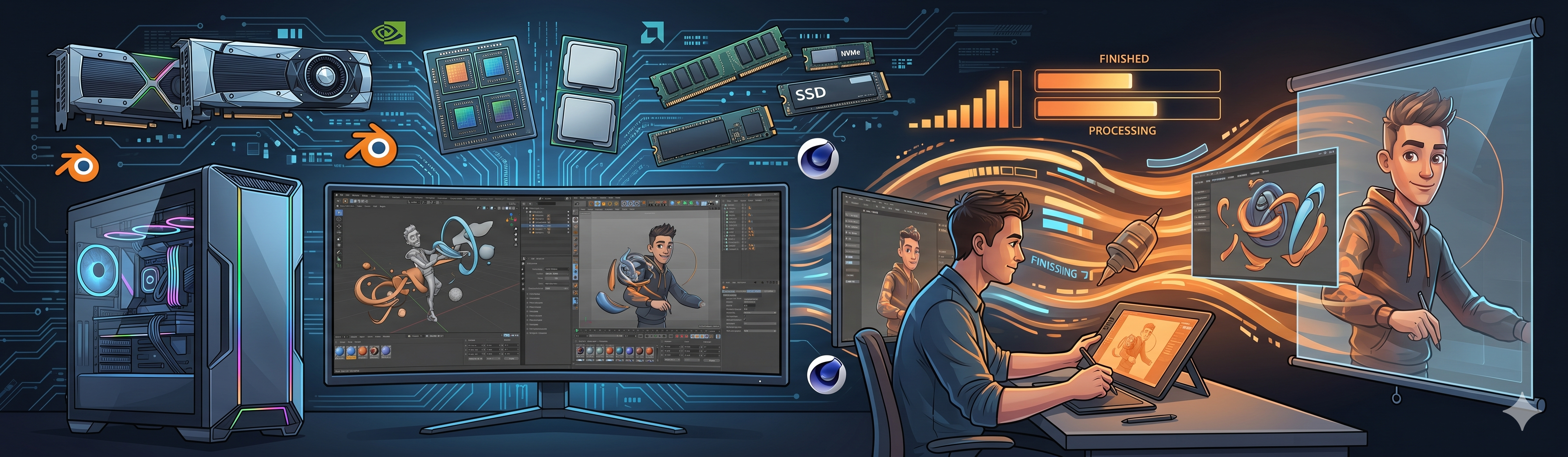
System requirements matter more than many comparison articles admit, especially in 2026 when rendering performance depends heavily on GPU compatibility.
Blender system requirements
Blender’s official requirements page confirms support across Windows, macOS, and Linux. It also notes graphics requirements such as OpenGL 4.3 on Windows and Linux, while macOS relies on Metal support. Blender’s release ecosystem also includes an LTS branch for long-term production stability.
Cinema 4D system requirements
Maxon’s official system requirements page states that current Maxon products require 64-bit Windows 10 v22H2 or Windows 11 on PC, macOS 14 or later on Mac, and 16 GB of memory as a general baseline. Maxon also notes Linux support for command-line rendering only, and lists Redshift GPU requirements such as 8 GB VRAM-class hardware on supported platforms.
What this means in practice
The hardware discussion is not only about whether the software launches.
It is also about whether the software runs well with the renderer you actually want to use. Blender may be free, but demanding Cycles jobs still benefit from strong hardware. Cinema 4D may feel accessible in the interface, but Redshift-based workflows quickly raise GPU expectations.
Quick specs snapshot
| Criteria | Blender | Cinema 4D |
| OS support | Windows, macOS, Linux | Windows, macOS, Linux command-line rendering only |
| Long-term stability option | Yes, LTS releases | Current release track |
| Graphics focus | OpenGL / Metal depending on platform | Strong Redshift GPU alignment |
| Memory baseline | Depends on workload | 16 GB general baseline in Maxon requirements |
Verdict : Blender is easier to access from a software-cost perspective. Cinema 4D’s real hardware demands depend heavily on the renderer and GPU path you choose.
Which should you choose : Cinema 4D or Blender ?
After comparing features, render engines, pricing, and workflow logic, the real question is not “Which software is better?” but which one makes more sense for the kind of work you actually do.
If you are a motion designer working in a studio
Cinema 4D is usually the stronger choice.
This is the clearest recommendation in the article. If your work involves title sequences, advertising visuals, branded content, product motion, or broadcast design, Cinema 4D remains one of the most efficient choices.
Its MoGraph ecosystem and guided workflow continue to make it a standard in many professional motion design environments. The most natural internal step for this profile is the Cinema 4D render farm workflow once rendering becomes a bottleneck.
If you are a freelancer or independent artist
Blender is often the smartest starting point.
For solo artists, flexibility and cost matter a lot. Blender gives you a complete 3D suite with no software license fee and a very broad range of uses.
It is especially attractive if you want to stay agile without locking yourself into a commercial subscription from day one.
If you are a student or beginner
Both are valid, but for different reasons.
Cinema 4D may feel more structured at first. Blender is much easier to access financially and has a huge volume of learning resources.
If you want the smoothest first steps, Cinema 4D may feel more comfortable. If you want the lowest-cost path with long-term flexibility, Blender is usually the better bet.
If you work in VFX, animation, or broader 3D pipelines
Blender often has the edge.
Its all-in-one scope, open ecosystem, and broad production flexibility make it especially attractive for users who need more than motion graphics alone.
If you regularly face tight deadlines and heavy renders
The software matters less than the rendering strategy.
Once projects become rendering-heavy, both Blender and Cinema 4D benefit from the same move: offloading final rendering to a cloud solution.
Ranch’s positioning around render farms, CPU/GPU farm selection, and project preparation makes that especially relevant for deadline-driven teams.
If budget is the deciding factor
Blender wins.
This is the most straightforward budget answer in the article. Blender is free. Cinema 4D is not.
Practical summary by profile
| Your profile | Best fit |
| Motion designer in a studio | Cinema 4D |
| Freelancer or solo artist | Blender |
| Student or beginner | Depends: Cinema 4D for structure, Blender for cost |
| VFX / animation generalist | Blender |
| Heavy rendering under deadline | Both, with a render farm |
| Strict budget constraints | Blender |
The real answer
Choose Cinema 4D if your work revolves around motion graphics, studio workflows, and fast onboarding.
Choose Blender if you want maximum flexibility, procedural workflows, cost control, and access to a complete 3D suite without license fees.
Choose a render farm if rendering time is what is actually slowing you down.
Whether you work in Cinema 4D or Blender, Ranch gives both ecosystems a way to scale beyond the limits of a local workstation.
Cinema 4D vs Blender : our final verdict
There is no universal winner in the Cinema 4D vs Blender debate.
If your focus is motion graphics, commercial design, and fast onboarding inside a professional production environment, Cinema 4D remains one of the strongest options available.
If your priority is flexibility, procedural workflows, cost control, and access to a complete 3D suite without license fees, Blender is extremely hard to beat.
The real bottleneck, however, is often not the software itself but rendering time. Once projects become heavier, both Blender and Cinema 4D benefit from the same strategic move: scaling output through cloud rendering instead of relying entirely on a local workstation. Ranch’s public positioning and documentation are built around exactly that production reality.
So the most practical answer is simple: choose the software that best matches your workflow, then make sure your rendering setup can scale with your ambitions.
Whether you work in Cinema 4D or Blender, Ranch Computing gives you a way to accelerate heavy renders and reduce local bottlenecks. For a motion-design-focused pipeline, the natural first step is to explore the Cinema 4D render farm page and see how your projects can scale in production.
FAQ — Cinema 4D vs Blender
Do professionals use Cinema 4D ?
Yes, professionals absolutely use Cinema 4D.
Maxon presents Cinema 4D as a professional solution for animation, modeling, simulation, rendering, and motion graphics workflows. That positioning matches its continued presence in studio and commercial environments.
Is Cinema 4D hard to learn ?
Cinema 4D is often seen as approachable, but the comparison with Blender is more nuanced than many older articles suggest.
The learning experience depends a lot on your background, habits, and preferred workflow.
Is Cinema 4D expensive ?
Compared with Blender, yes.
Blender is free and open-source, while Cinema 4D is part of Maxon’s paid subscription ecosystem.
Does Cinema 4D use GPU or CPU rendering ?
Cinema 4D supports both, depending on the renderer.
That is the most accurate answer. Redshift-related workflows are strongly tied to GPU requirements, while other rendering paths may rely more on CPU-based logic.
Can you switch from Cinema 4D to Blender, or from Blender to Cinema 4D ?
Yes, many artists move between the two.
The two tools have different strengths, and some professionals use both depending on the project type and pipeline needs.
What render farm supports both Blender and Cinema 4D ?
Ranch Computing supports both Blender and Cinema 4D workflows.
Ranch provides dedicated software pages and explains how cloud rendering distributes work across multiple machines to reduce render times.