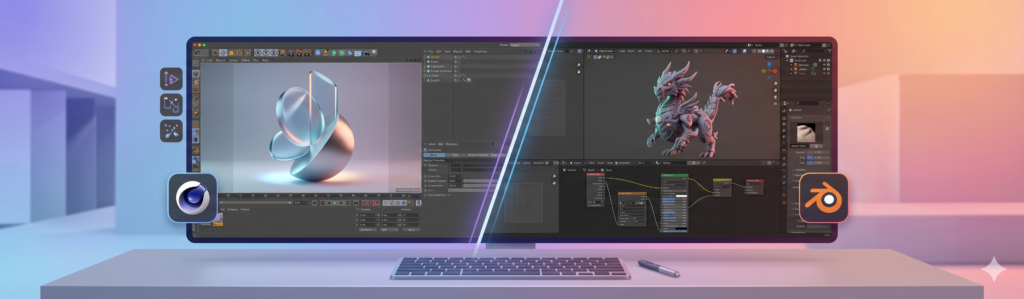



What is Maxon Cinema 4D: everything you need to know about this software

Cinema 4D has established itself as a benchmark among 3D creation software, for beginners and professional studios alike. Developed by Maxon, it covers the entire production pipeline (modeling, animation, texturing and rendering) with an interface recognized for its accessibility. In this article, we present its key features, its use cases by industry, as well as the recommended hardware configuration to run it under good conditions.
What is Cinema 4D by Maxon?
Cinema 4D, developed by the German company Maxon, is a 3D creation software known for its versatility and accessibility. Originally known as FastRay until 1991, it has since evolved into an essential tool in the field of modeling, animation and 3D rendering. Every year, Maxon enriches the software with new features, further consolidating its position as an industry leader.
What sets Cinema 4D apart from other 3D software is its balance between power and ease of use. Where some tools can seem intimidating with complex interfaces, Cinema 4D stands out for its intuitive learning curve, making it particularly appealing to artists and designers who want to integrate 3D elements into their projects without too steep a learning curve.
Cinema 4D is used across a wide range of fields, from advertising to film production, thanks to its ability to handle complex tasks such as simulation and advanced texturing. Its integration with other Maxon tools, such as Redshift for rendering, makes it a top choice for digital creation professionals.
Key features of Cinema 4D
Cinema 4D covers the entire 3D creation pipeline across four major areas: modeling, animation, texturing/shading and rendering.
Intuitive and powerful 3D modeling
Cinema 4D stands out for its ability to make 3D modeling both intuitive and powerful. One of its major strengths lies in its parametric modeling system, which offers increased flexibility, allowing objects to be modified in real time and making adjustments and rapid iterations easier.
The software includes advanced sculpting tools for working on the finest details of 3D models. The use of “Fields” technology also provides precise control over deformations and animations. Cinema 4D adapts to a variety of workflows thanks to its modularity, allowing users to customize their working environment according to their specific needs, from small animations to large-scale film productions.
Smooth animation and total control
Cinema 4D is designed to streamline the animation process, whether for simple movements or complex sequences. Thanks to its advanced timeline system, animators can manipulate and adjust every aspect of the animation with unmatched precision.
Animation tools include keyframe animation, deformation tools for dynamic and realistic animations, as well as Bézier curves for adjusting the speed and acceleration of movements. Cinema 4D also includes physical simulation tools (gravity, collision) that make it easier to create complex scenes while ensuring visual consistency and smoothness in the final render.
Advanced texturing and shading
Texturing and shading in Cinema 4D offer advanced creative possibilities thanks to a flexible material system, allowing different shaders to be combined for unique, customized results. Artists can draw on the built-in material library or create their own materials from scratch.
The software also supports procedural texturing, which generates dynamic, adaptive textures without heavy image files, an approach that is particularly useful on large-scale projects. The internal rendering engine, compatible with both CPU and GPU, allows real-time visualization of changes made to materials and lighting, ensuring a smooth workflow.
Lighting and rendering with Redshift
Redshift, integrated into Cinema 4D, takes rendering to the next level thanks to its ability to produce photorealistic visuals with remarkable efficiency. This GPU engine is designed to handle complex scenes while significantly reducing render times, with advanced features such as global illumination, ambient occlusion and caustics.
Redshift’s flexibility is reinforced by its node-based material system, which offers unprecedented creative freedom to design detailed, textured surfaces. Near real-time rendering in Cinema 4D’s Viewport also makes quick adjustments possible before the final render, turning the process into a smooth and innovative experience.
Advantages of Cinema 4D compared to other software
One of the most appreciated advantages of Cinema 4D is its clean, intuitive user interface. Unlike other 3D software often seen as complex and intimidating, Cinema 4D offers a quick learning curve that appeals to beginners and professionals alike. This ease of use is reinforced by an innovative Fields system, which allows animations and geometry to be modified intuitively.
Cinema 4D offers a complete suite of tools for modeling, texturing, animation and rendering, while remaining adaptable to various production workflows. This modularity allows users to customize their working environment according to their specific needs. Finally, the software is backed by an active community and a wealth of learning resources, making it easier to pick up new skills and explore new techniques.
Comparison: Cinema 4D versus the main rendering engines
| Criterion | Cinema 4D (2025) | Blender (Cycles) | Maya (Arnold) | Houdini (Mantra) |
|---|---|---|---|---|
| Ease of use | ★★★★★ | ★★★☆☆ | ★★☆☆☆ | ★★☆☆☆ |
| Farm optimization | ★★★★★ | ★★★★☆ | ★★★★☆ | ★★★☆☆ |
| Technical support | ★★★★★ | ★★★☆☆ | ★★★★☆ | ★★★☆☆ |
| Research/scripting | ★★★★☆ | ★★★★☆ | ★★★★☆ | ★★★★★ |
| Cost estimate | ★★★★★ | ★★★☆☆ | ★★★★☆ | ★★★☆☆ |
| Pipeline integration | ★★★★★ | ★★★★☆ | ★★★★☆ | ★★★★☆ |
Uses of Cinema 4D across various industries
Cinema 4D finds its place in many industries thanks to its ability to adapt to a wide range of creative needs: advertising, film, architecture and interactive experiences.
Advertising and branding
In advertising and branding, Cinema 4D is valued for its stability and ease of use, even when managing complex projects. Its modularity allows creators to customize their workflow to meet the varied requirements of advertising campaigns.
One of its major strengths lies in its ability to generate smooth, impactful animations, perfect for grabbing attention in commercials. Its integration with Redshift ensures photorealistic visuals that are essential for reinforcing brand identity. The software’s robustness also minimizes interruptions caused by crashes, an undeniable advantage for studios and freelancers who need to meet tight deadlines.
VFX and film
In VFX and film, Cinema 4D has established itself as a solid tool, notably thanks to its compatibility with high-performance rendering engines such as Octane and Arnold. Its advanced tracking, animation and particle management tools make it easier to create complex, immersive visual scenes.
Support for popular plugins, such as those from Red Giant, further expands its creative possibilities. Cinema 4D’s flexibility makes it ideal for productions requiring quick iterations and last-minute adjustments, a major advantage in an industry where deadlines are often tight.
Product visualization and architecture
For product visualization and architecture, Cinema 4D offers exceptional flexibility, whether for showcasing a new product line or an ambitious architectural project. Professionals particularly appreciate its compatibility with CAD files, which allows for smooth integration into existing workflows.
The power of the rendering engine, especially with Redshift, makes it possible to create stunning visualizations in a shorter amount of time. This ability to combine speed and visual quality makes it a solid choice for designers looking to impress clients with impactful presentations.
AR, VR and video games
Cinema 4D stands out for its versatility in augmented reality (AR), virtual reality (VR) and video games. Thanks to its compatibility with popular game engines such as Unreal Engine and Unity, it allows creators to design immersive, interactive experiences.
Its intuitive interface makes it accessible even to beginners in 3D design, while offering a powerful set of tools for creating detailed models and realistic animations. By integrating Cinema 4D into their production pipelines, game studios and AR/VR developers can optimize their workflow while producing compelling visual content.
System requirements for Cinema 4D
To get the most out of Cinema 4D, it is essential to have adequate hardware, particularly when using the Redshift rendering engine.
Hardware and software requirements
A modern multi-core processor is recommended for handling complex modeling and rendering tasks. A configuration with an AMD EPYC processor with 8 vCores and 28 GB of RAM provides a good baseline; for more complex projects, a Xeon processor with 12 vCores and 41 GB of RAM may be worth considering. RAM plays an essential role: at least 8 GB is required, with 16 GB or more preferable for ambitious projects.
A dedicated graphics card, compatible with OpenGL 4.1 or higher, is essential for speeding up rendering and animation processes. On the software side, Cinema 4D runs on the latest versions of Windows and macOS. Sufficient disk space is also needed to install the software and store large project files. An SSD noticeably improves processing speed.
Tips for optimizing performance
To maximize Cinema 4D’s performance, start by keeping your software and graphics drivers up to date. Regular updates often include optimizations that improve the software’s smoothness and responsiveness.
Efficiently managing complex scenes is crucial: use the layers feature to organize your objects, simplify geometry where possible, and favor instances over object duplication to reduce the load on the processor and memory. Also adjust preview cache settings to speed up your workflow. For Redshift users, taking advantage of GPU rendering can considerably speed up render times, especially with a powerful graphics card.
Pricing and purchase options for Cinema 4D
Cinema 4D is available on a subscription basis, giving access to regular updates and new features as soon as they are released.
Subscription options generally include:
- Monthly subscription: ideal for short-term projects or for trying out the software with no long-term commitment.
- Annual subscription: offered at a reduced rate, perfect for professionals who use Cinema 4D regularly.
- Perpetual license: available for those who prefer a one-time payment, but without automatic updates.
Maxon also offers educational pricing for students and teachers, as well as free trials allowing new users to explore the software’s capabilities before committing financially.
Resources and learning materials for Cinema 4D
To fully master Cinema 4D, users, whether beginners or advanced, have access to a wide range of learning resources.
Online tutorials are an excellent starting point. Platforms like YouTube offer free videos covering everything from basic modeling to advanced animation and rendering techniques. For more structured learning, sites such as LinkedIn Learning and Udemy offer paid courses with hands-on projects.
Online forums and communities, such as CGSociety and Reddit, provide a space to connect with other users, ask questions and share tips. Finally, Maxon offers its own documentation and regular webinars, helping users stay up to date with the software’s latest updates and features.
FAQ — Maxon Cinema 4D
What is Cinema 4D used for?
Cinema 4D is a 3D modeling, animation and rendering software developed by Maxon. It is particularly used in motion design, advertising, architectural visualization and visual effects. Its reputation rests on its intuitive learning curve and its stability, even on complex projects.
What is the difference between Cinema 4D and competitors like Maya or Blender?
Cinema 4D stands out for its accessible interface and native integration with After Effects, making it the go-to software for motion designers. Maya is more oriented toward character animation and studio VFX production, while Blender is a free, open-source alternative that covers a similar range to Cinema 4D.
Is Cinema 4D suitable for beginners?
Yes, Cinema 4D is often recommended to 3D beginners thanks to its clear interface and a learning curve that is less steep than Maya’s or Houdini’s. Maxon also offers a wide range of official learning resources, and the online community provides a large number of accessible tutorials to help you progress quickly.
What is the price of Cinema 4D?
Cinema 4D is only available on subscription, either through Maxon One or as a standalone license. The individual rate is around €95 per month or €719 per year. Maxon also offers discounted rates for students and teachers, as well as a free 14-day trial period.