Best Plugins for Maya in 2026: Our Top 8

Maya remains a reference for animation, modeling and VFX in film, games and advertising, and its plugin ecosystem is a large part of why. Plugins add render engines, rigging tools, simulation and workflow shortcuts that Maya does not provide out of the box. This guide presents 8 plugins and tools worth knowing in 2026, with what each does and what to check before you use it in production.
The short version: Redshift for fast GPU rendering, Substance Painter Live Link for texturing, AdvancedSkeleton for rigging, MASH and Bifrost for procedural effects and simulation, Yeti for hair and fur, and AnimBot and ngSkinTools for animation and skinning.

OUR TOP 8 AT A GLANCE
| Plugin | Best for | Price |
|---|---|---|
| Redshift | GPU rendering | About $35 per month on an annual plan, or included in Maxon One |
| Substance Painter Live Link | Real-time texturing | Part of the Adobe Substance 3D ecosystem |
| AdvancedSkeleton | Character rigging | Free |
| MASH | Motion graphics and procedural animation | Included with Maya |
| Yeti | Hair, fur and feathers | Paid license |
| Bifrost | Simulation and procedural effects | Included with Maya |
| AnimBot | Animation workflow | Paid license |
| ngSkinTools | Skin weighting | Paid license |
Prices are those shown by vendors at the time of writing and can change: check the vendor page before buying.
BEST PLUGINS FOR MAYA IN 2026
REDSHIFT
Redshift is a GPU render engine that produces high-quality images much faster than traditional CPU engines. It works with Maya’s native shader system, so materials and lighting need little conversion, and it does not demand a steep learning curve. Maya also ships with Arnold, a CPU renderer, so Redshift is a choice rather than a requirement.
Price: around $35 per month on an annual plan as a standalone license, or included in Maxon One. Limit: it requires an NVIDIA GPU, and very heavy scenes can exceed video memory.
SUBSTANCE PAINTER LIVE LINK
Substance Painter Live Link connects Maya and Substance 3D Painter in real time: textures and colors update in Maya while you paint. It lets you use Painter’s procedural texturing while staying in your Maya scene, which speeds up look development and reduces back-and-forth exports.
Best for: artists who texture assets in Substance Painter and want to check them in context.
ADVANCEDSKELETON
AdvancedSkeleton is a free plugin that has become a staple of character rigging in the Maya community. It automates much of the rigging process, which reduces setup time for characters and helps teams on tight deadlines.
Best for: riggers and animators who want a complete, proven rig without building every control by hand. Price: free.
MASH
MASH is Maya’s motion graphics toolkit. It simplifies complex animation and effects such as multiplied objects, procedural movement and particle-like effects, and it handles large-scale animations without sacrificing performance. It is part of Maya, so there is nothing extra to buy.
Best for: film and advertising artists who need procedural animation without scripting.
YETI
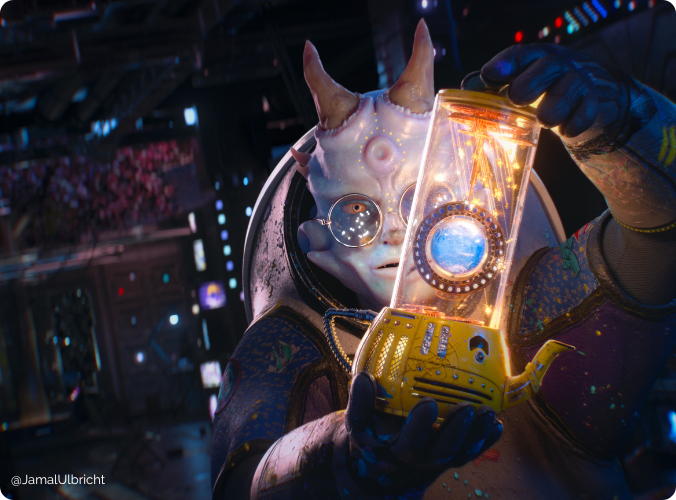
Yeti is a plugin for realistic hair, fur and feathers. Its grooming tools produce detailed results across many character types and hold up under close inspection, which matters in animated films and high-end games.
Best for: character artists working on creatures and groomed characters. Limit: complex grooms increase render time and cache size.
BIFROST
Bifrost is Autodesk’s node-based simulation and procedural framework, built into Maya. Version 2.13, released with Maya 2026, reintroduced a FLIP fluid solver for large liquid simulations, and Bifrost also covers granular effects such as sand and snow, combustion and cloth in a visual programming graph. For a dedicated plugin alternative, Chaos Phoenix is another strong choice for fire, smoke and liquids.
Best for: artists who want simulation and procedural effects without leaving Maya. Limit: large simulations can generate tens of gigabytes of cache, so plan storage and upload time for farm rendering.
ANIMBOT
AnimBot covers much of the animation pipeline with a user-friendly interface that lets you make quick adjustments without breaking creative momentum. Its keyframe management lets you manipulate several keyframes at once, giving more control over the timeline.
Best for: animators working on detailed character movement and interaction.
NGSKINTOOLS
ngSkinTools improves the skinning process with layer-based weight painting tools. Smooth transitions between body parts help characters deform naturally, even in demanding poses, and the tool is kept up to date for recent Maya versions.
Best for: riggers and character technical artists who spend time on weights.
HOW TO CHOOSE THE RIGHT MAYA PLUGINS
- Match the plugin to a real bottleneck: rendering speed, rigging time or simulation, not a feature list.
- Check Maya version compatibility: confirm support for your version, and keep Maya and plugins updated together.
- Organize your tools: group plugins by use and set shortcuts for the ones you use daily.
- Test before committing: use trials and demos on a small scene first.
PLUGINS AND RENDERING: WHAT TO CHECK BEFORE USING A RENDER FARM
Render engines, simulation caches and third-party plugins all need to be available where your scene renders. Save simulation caches with the project, check that texture and cache paths are valid, and test a single frame before sending a long animation. When your workstation becomes the bottleneck, you can render your project on our Maya render farm, which spreads frames across CPU and GPU machines. Tell us which plugins your scene uses and we will check compatibility before you submit.
FAQ
What are the essential Maya plugins for beginners?
MASH for motion graphics, AdvancedSkeleton for rigging and a render engine such as Arnold, which comes with Maya, are solid starting points. They cover the core areas of a 3D workflow without deep technical knowledge.
Are Maya plugins free or paid?
Both exist. AdvancedSkeleton is free, MASH and Bifrost are included with Maya, while tools such as Yeti, AnimBot, ngSkinTools and Redshift require a paid license.
How do I install a plugin in Maya?
Most plugins are installed by placing their files in Maya’s plug-ins folder, then enabling them in the Plug-in Manager under Windows > Settings/Preferences. Some plugins come with an installer that does this for you.
Do Maya plugins work on a render farm?
It depends on the plugin. Native tools and common render engines are the simplest, while simulations need saved caches and third-party plugins must be supported on the farm. Contact us before submitting a complex scene.