What is 3ds Max used for : everything you need to know about this software
Published by Autodesk, 3ds Max is one of the reference programs for architects, video game designers and visual effects professionals. What is 3ds Max actually used for? It is mainly used for 3D modeling, animation, simulation and rendering.
Wondering whether this program fits your production needs? Or how to integrate it into your creative pipeline? Let’s break down its features and understand why it remains an absolute standard in the 3D market.
What is 3ds Max?
3ds Max is a professional 3D graphic creation software. It allows you to generate complex geometric models, detailed virtual environments and very high quality animations.
Historically, its interface became established on the Windows operating system among professional studios. Today, it brings together a complete ecosystem of tools, ranging from simple polygonal creation to physical simulations of fluids or fabric.
Main features of 3ds Max
3D Modeling
3ds Max’s strength lies in its polygon and spline-based modeling system. You can extrude, smooth, bevel and sculpt geometric shapes with very high precision, whether for virtual use or 3D printing.
The Modifier Stack is an undeniable asset. It allows you to stack non-destructive effects on your objects. This way you retain control over every step of your creation and can go back at any time.
Character Animation and Rigging
To bring your models to life, the software includes very powerful animation tools. The native Biped and CAT (Character Animation Toolkit) modules greatly facilitate the rigging of humanoid or four-legged characters.
You manipulate your keyframes and animation curves directly in the Track View graph editor. This gives you precise control over the timing and movement of your various 3D assets.
Other features
3ds Max handles texturing perfectly thanks to its node-based material editor. You can create complex, photorealistic shaders simply by connecting nodes together.
The software also offers robust particle and dynamics systems. For example, you can simulate explosions, smoke, collisions or fabric draping directly within your scene. There are therefore many reasons to choose 3ds Max.
Why use 3ds Max software?
For architecture and BIM
In the field of architectural visualization (Archviz), 3ds Max is an obvious choice. Its perfect compatibility with Revit, AutoCAD and Inventor makes it easy to import complete BIM digital models.
You can thus turn raw technical plans into stunning photorealistic renders. Architects use it daily to present their interior or exterior design projects to their clients.
For video game creation
Development studios use it extensively for designing 3D assets, sets and optimized (low poly) characters. Its integration with real-time engines like Unreal Engine or Unity is excellent.
Pro tip: I almost always export my models in FBX format directly to the game engine. This format preserves all of my rigging, animations and UV maps without generating errors.
For film production and VFX
In the film and advertising industry, 3ds Max is used to generate visual effects (VFX) and computer-generated imagery (CGI) that are invisible to the naked eye. Its physical simulation capabilities allow objects to be destroyed realistically.
Many studios integrate it into their pipeline to animate virtual crowds or create massive digital environments, known as matte paintings.
Rendering engines supported by 3ds Max
The rendering stage is undeniably the most resource-intensive part of your entire production pipeline. 3ds Max interfaces with the best engines on the market, each meeting very specific computing needs.
Here is an overview of the engines we see running most often to generate your images:
Arnold (the cinematic standard):
The native engine of 3ds Max 2027, designed to handle extremely heavy scenes. It is the engine of choice for feature films and complex VFX.
V-Ray (the Archviz favorite):
Published by Chaos Group, it combines formidable computing speed with exceptional physical realism, particularly in light handling.
Corona Renderer (the champion of simplicity):
Also from Chaos, this CPU-based engine produces photorealistic images in record time with minimal settings.
Redshift / Octane Render and FStorm (the GPU powerhouses):
If you prefer to leverage the computing power of your graphics cards, these three alternatives calculate your frames at impressive speed.
The advantage of a render farm
Regardless of the engine chosen, rendering will monopolize your machine. This is where a render farm like Ranch Computing comes in.
By outsourcing your calculations to our servers, you generate your frames on a massive scale and free up your own computers to keep working.
Pro tip: I systematically go through our RANCHecker plugin, integrated into 3ds Max, to upload my scene seamlessly.
3ds Max software pricing
Regarding budget, Autodesk now distributes 3ds Max only on a subscription basis. According to the current official price list (source: Autodesk.fr), the annual subscription costs €2,094.
You can also opt for monthly billing at €264, or a three-year subscription for €6,282. For freelancers with very occasional needs, a token-based payment system (Flex) is also available on a pay-as-you-go basis.
The best plugins for 3ds Max
One of 3ds Max’s greatest strengths is its openness: you can extend its capabilities infinitely with third-party plugins. Here are the ones that, in my experience, truly transform your workflow:
Modeling and environment
Forest Pack (iToo Software):
This is the reference tool for “scattering.” It allows you to distribute millions of objects (trees, grass, rocks) without bringing your RAM to its knees.
RailClone (iToo Software):
A parametric modeling plugin. Ideal for creating complex, repetitive structures such as railings, facades or roofing in just a few clicks.
Animation and simulation
TyFlow:
This plugin has revolutionized particle simulation in 3ds Max. It is incredibly fast thanks to multi-threading and lets you handle destruction effects or fabric physics with a flexibility the native system (Particle Flow) no longer offered.
Rendering and texturing
Substance Suite (Adobe):
Essential for texturing. The integration is seamless: you handle your parametric materials directly in 3ds Max’s node editor, avoiding constant exports between programs.
Watch out for compatibility: before installing a plugin, it is essential to always check its compatibility with your version of 3ds Max and your rendering engine.
Learning to use 3ds Max
Official Autodesk resources
The publisher offers extremely comprehensive documentation (Autodesk Knowledge Network) as well as free tutorials to help you get started. This is the best starting point for getting to grips with the user interface and the program’s fundamental principles.
The best online courses
Specialized platforms such as Pluralsight, Gnomon Workshop or Udemy are full of courses taught by industry professionals. On YouTube, free channels like Arrimus 3D are a real goldmine for improving your polygonal modeling skills.
How long does it take to master 3ds Max?
Let’s be honest, the learning curve is steep. Expect a few months to become comfortable with the basic tools and modeling.
Fully mastering animation, dynamic simulations and render optimization generally takes several years of practice. But it’s important to get started and begin learning to use 3ds Max as a professional in the field.
FAQ about 3ds Max
Is 3ds Max suitable for beginners?
Its dense interface and multiple menus can intimidate a beginner at first. However, by focusing on one discipline at a time (such as basic furniture modeling), the software remains accessible. Don’t try to learn everything on day one.
What is the difference between 3ds Max and Blender?
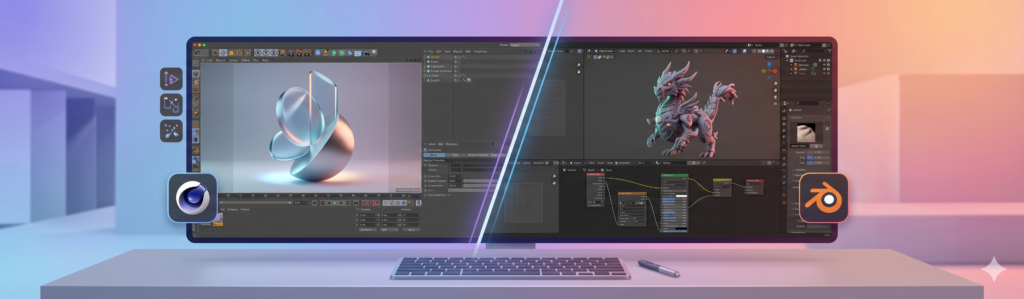
3ds Max is a paid standard deeply rooted in professional pipelines (video games, architecture). Blender is an excellent open-source, free alternative. However, precise handling of the modifier stack remains an ergonomic advantage exclusive to 3ds Max.
Can 3ds Max be used for free?
Yes, Autodesk offers a free, full-featured 30-day trial version. In addition, if you are a student or teacher, you can get a completely free educational license for one year (renewable as long as you remain eligible).
Does 3ds Max run on Mac?
No, 3ds Max is developed exclusively for Windows. To use it on a Mac environment, you will need to install Windows via Boot Camp (on Intel processors) or use a virtualization solution such as Parallels Desktop, although this may impact computing performance.
If you’re short on power, don’t forget that our team of 3D artists at Ranch is available to take over your renders 24/7!