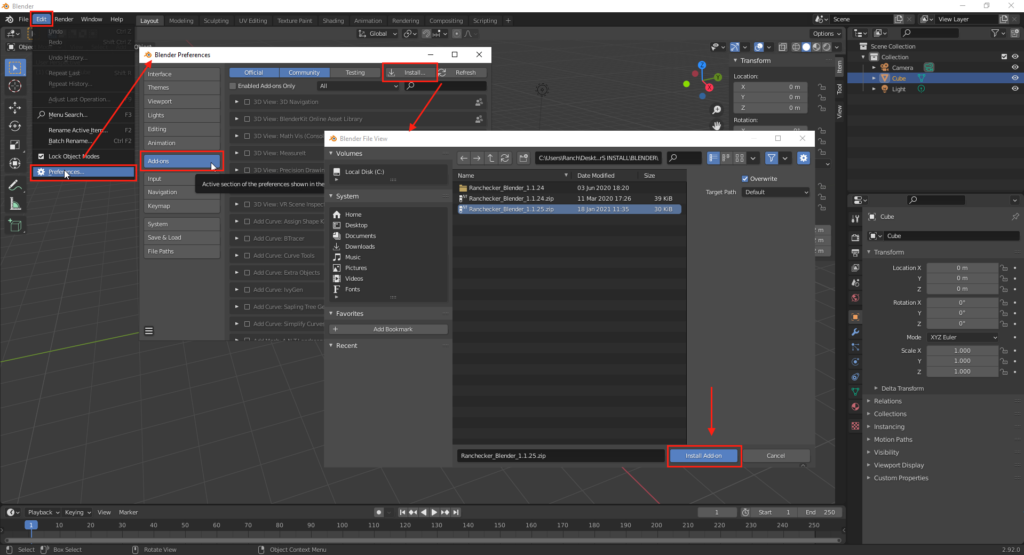
Open Blender and go to Edit > Preferences > Add-ons
Use the button Install Add-on and select directly the ZIP file RANCHecker_Blender_X.X.X.zip
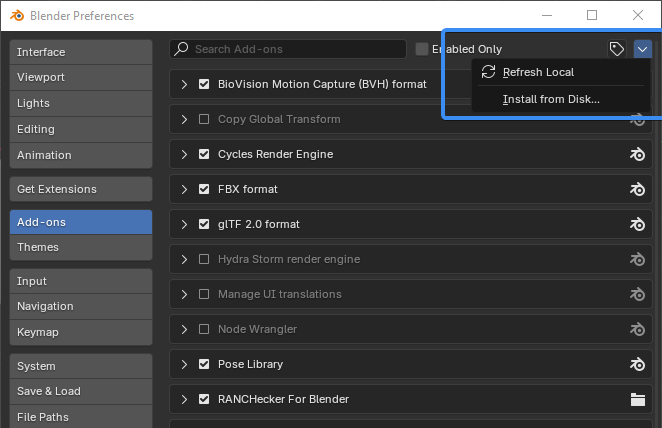
From the version 4.2 onwards, the Install add-on button is hidden in the arrow menu in the top-right corner. And the addon tag folding list became a button located just at the left of the arrow.
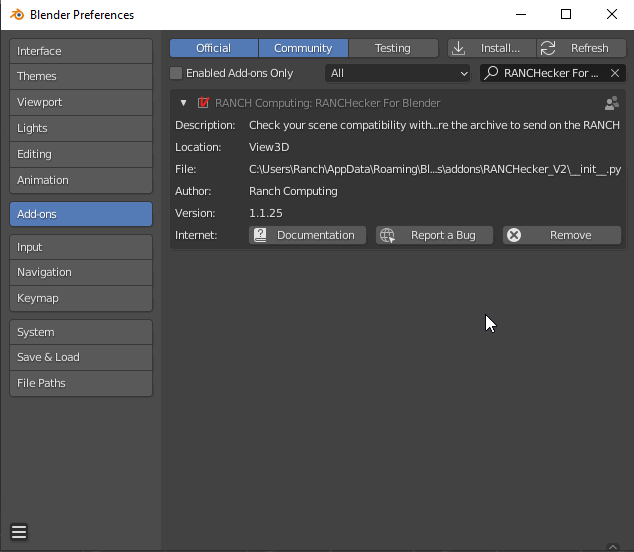
Load the Add-on.
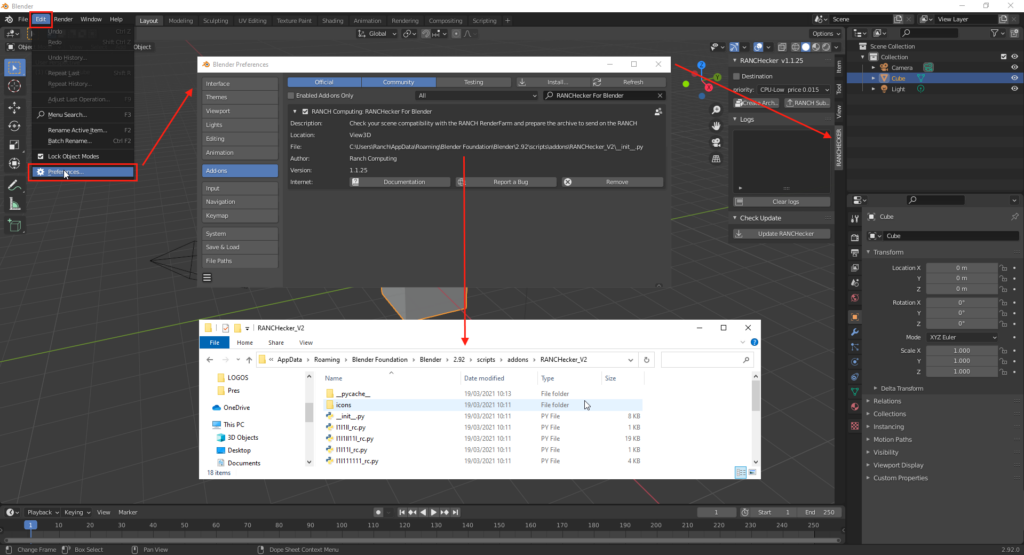
RANCHecker is now installed, you can use it from the toolbar in the 3D view. Press “N” if the tab is hided.