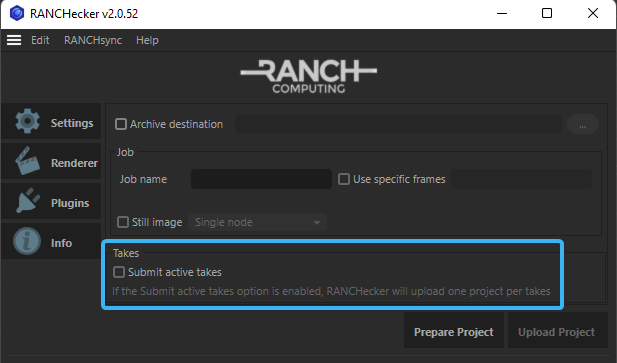
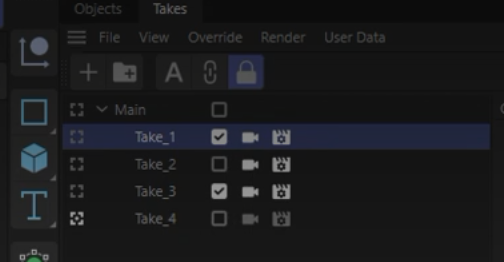
By default the rendering system will only render the active view. However, an option in RANCHecker will give you the possibility to render one projet per active take if the project is uploaded from Cinema 4D.
Your takes must not have the same name (including chields takes) and must not have special characters. You can have underscore “_” in the files name and replace any special characters like “!” or “~” by underscores.
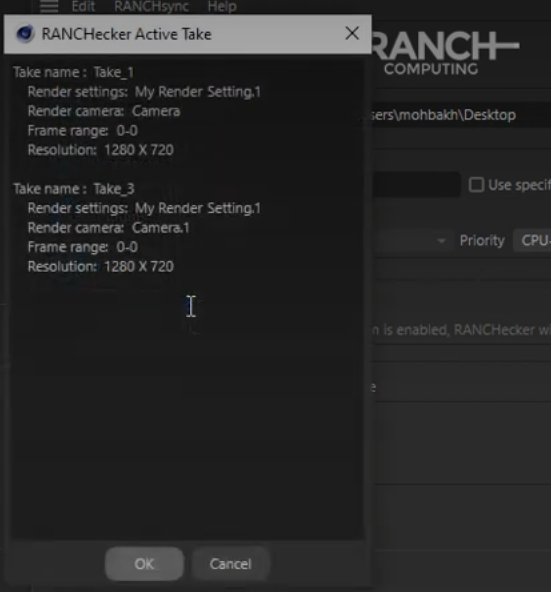
Once the Takes are selected turned on the “Submit Active Takes” option. It will preview your different takes. Then you have to generate your project.
You will only have one VUC archive generated on your disk, but when you click on “Upload Project” your actives takes will all be sent to the farm.
On the web dashboard, “Take to render” option in addition to “re-use already uploaded files”, allow you to proceed the same way. Nonetheless, we highly recommend to proceed through Cinema 4D to avoid mistakes.
We have made a short video to show the simple procedure of sending Takes on the RANCH: